DLSS 5 Manager offers a simpler way to experiment with NVIDIA's Neural Rendering technology without manually replacing game files or configuring multiple tools. The free Windows application combines DLSS 5, ReShade and OptiScaler management with an installer designed to automate much of the process. In this guide, we'll show you how to download the application, detect your installed games and use its installation options to get started with DLSS 5.
New In Version 1.3.8
- Live Flow: Resolved an issue where it was difficult to see the difference
- Increasing the "Intensity" to 2 or 3 provides quality comparable to "x2 multipass," while maintaining the performance level of "x1."
- Resolved most HDR-related issues.
- Various other minor improvements.
- Fix DLSS MFG Bug.
1. Download DLSS 5 Manager
First, download the latest version of DLSS 5 Manager from its official website. Version 1.3.8 is available in both installer and portable formats.
💾 Download DLSS 5 Manager
The installer is approximately 650 MB, while the portable archive is approximately 674 MB. Extract the portable version before launching it.
2. Launch the application and scan your games
Open DLSS 5 Manager and allow it to initialize its components. The application provides a game library where you can locate compatible installations.
Once your games have been detected, select the title you want to modify. Make sure you have closed the game before proceeding with the installation.
3. Install DLSS 5
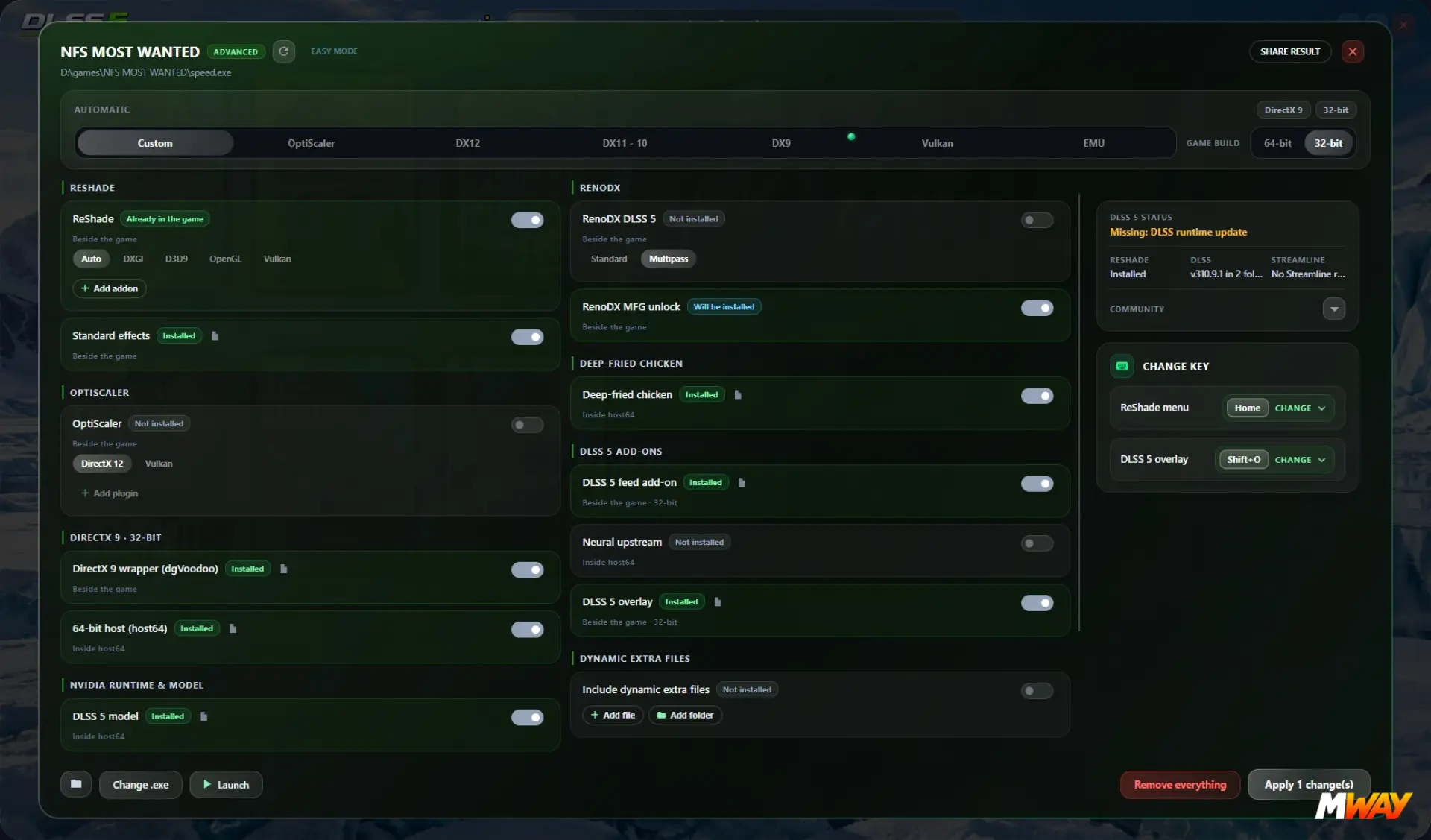
Select your chosen game and open the installation options. DLSS 5 Manager provides a standard installation mode for users who prefer an automated configuration, as well as an Advanced Mode for those who want more control over the files and installation method.For a first installation, start with the standard mode and follow the instructions displayed by the application. The manager handles the required components and installation process according to the selected configuration.Once the installation is complete, you can launch the game directly through the manager or use its normal launcher.
4. Configure DLSS 5
DLSS 5 Manager includes additional configuration options for Neural Rendering and its associated components. Depending on the selected installation method, these can include ReShade, OptiScaler and other rendering tools.Start with the default configuration before changing advanced parameters. The application also includes Live Flow, an experimental feature that applies its processing to games and other applications without requiring the same individual game installation process.
5. Restore the original game files
If you encounter compatibility issues or simply want to remove the modification, use the application's removal or restoration options for the selected game. It is advisable to keep a backup of important game files before applying any modifications.
Important information
DLSS 5 Manager is an independent community project and is not affiliated with NVIDIA. Its compatibility depends on the graphics card, game, rendering API and selected installation method. Not every feature works with every game or GPU.Some installation methods modify game files or inject additional components. Avoid using these modifications in multiplayer games protected by anti-cheat systems unless compatibility has been explicitly confirmed.
Full release notes on GitHub